Image Color Picker
Upload an image and pick any color to get its HEX, RGB, and HSL codes instantly.

Drop it here
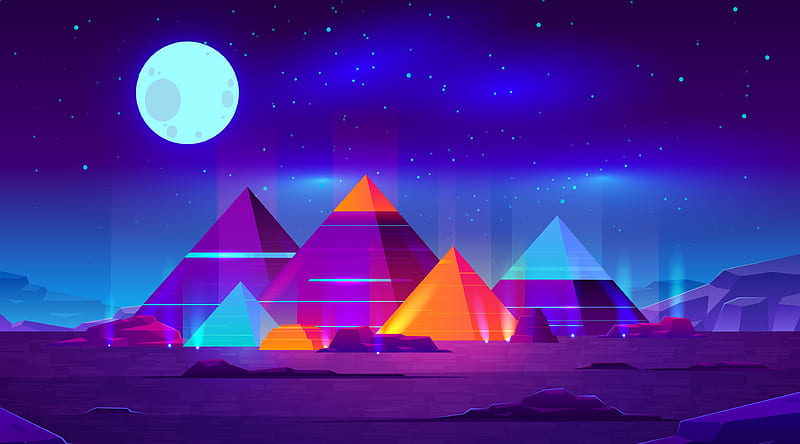
#ff722e
#8605af
#bf0093
#36b2f0
#9ffffe
#2a0554
What Is an Image Color Picker?
An image color picker lets you click anywhere on a photo or graphic and instantly get the exact color code at that pixel. You get the HEX, RGB, and HSL values in one click, ready to paste into your CSS, Figma, or design system.
No more guessing hex codes. No more eyedropper tools that give you slightly wrong values. Just upload the image and click the color you want.
When Would You Actually Use This?
You uploaded a client's logo as a PNG but nobody saved the brand color codes. You are trying to match a color from a screenshot. You found a photo with a perfect color palette and want to extract it for a design project.
These are the exact situations this tool is built for.
- UI and web designers matching colors from mockups or brand assets
- Front-end developers extracting colors from design files they cannot open in Figma
- Social media managers keeping brand colors consistent across graphics
- Marketers building landing pages that match existing brand photography
- Artists and illustrators sampling reference colors from photos
Key Features
- Pixel-level zoom - a magnifier loupe lets you zoom into individual pixels so you grab the exact color, not a blended neighbor
- HEX, RGB, and HSL output - all three formats generated instantly so you can use whichever your tool requires
- Color history - previously picked colors are saved in a palette so you can build a full color set from one image
- One-click copy - click any color value to copy it to your clipboard immediately
- Works with any image format - JPG, PNG, WebP, GIF, and SVG all supported
- Fully private - the image is processed in your browser, never uploaded
How to Pick a Color from an Image
- Click the upload button and select your image, or drag it onto the tool
- Hover over the image to see the color under your cursor in real time
- Click the exact pixel you want to sample
- Copy the HEX, RGB, or HSL value from the output panel
The magnifier activates automatically when you hover, so you can get precise results even on small details.
What Color Format Should You Use?
HEX is the most common format for web development and CSS. Use it when you are writing styles or working in most design tools.
RGB is useful when you need to control opacity (use RGBA) or when working in environments that require numeric color values.
HSL is the most human-readable format. It describes color as hue, saturation, and lightness, which makes it easier to create color variations programmatically.
Frequently Asked Questions
Can I pick multiple colors from the same image? Yes. Every color you click gets added to your color history panel so you can build a full palette from a single image.
How accurate is the color picker? It reads the exact pixel value from the image as rendered in your browser. The accuracy depends on the image quality and whether the image has been compressed (which can slightly alter pixel values).
Does this work on photos with gradients? Yes. You can click anywhere on a gradient to sample the exact color at that point.
Can I use this to extract a color palette from a photo? Absolutely. Click the dominant colors across the image and your history panel builds the palette for you.
Is my image uploaded to a server? No. The entire process runs in your browser using the HTML5 Canvas API. Your image never leaves your device.
Related Tools in Image Tools
Background Remover
Effortlessly erase backgrounds from your images with AI, perfect for creating transparent PNGs.
Screenshot to Text OCR
Extract text from screenshots, photos, and scanned documents with AI-powered OCR. Supports 50+ languages.
App Icon Forge
Generate production-ready iOS and Android app icons from a single image. Customize zoom, background, badges, and monochrome.
Bulk Image Compressor
Optimize and reduce the file size of multiple images simultaneously without compromising quality.
Invert Image Colors
Reverse the colors of your images to create a striking negative effect.
Photo Editor
A comprehensive online photo editor to crop, resize, filter, and enhance your images.
Round Corner
Easily apply rounded corners to your images for a modern, softer look.
Rounding Corners Images
Create images with beautifully rounded borders for a polished appearance.
Image Sequence Previewer
Animate a sequence of images to preview them as a flipbook or export as a GIF.
Image To Base64
Encode your images into Base64 strings for easy embedding in HTML, CSS, or JS.
Exif Viewer
Inspect the hidden metadata (EXIF) of your photos, including camera settings, location, and date.
Code To Image
Create beautiful, shareable images of your source code snippets with syntax highlighting.
Image Optimizer
Reduce image file sizes for faster web performance without losing visual quality.
Favicon Generator
Generate a full set of favicons for web, iOS, Android, and PWA from an uploaded image or a custom text icon, complete with ready-to-paste HTML link tags.
Image to Base64 Encoder
Upload an image and instantly get its Base64-encoded data URI, with a live image preview and one-click copy.
Invert Colors
Upload a photo, invert its colors with one click, and download the negative version as a PNG or JPG.
PNG to WebP Converter
Convert PNG images to WebP with quality controls, batch processing, and side-by-side comparison
Image Filters
Apply CSS filters to images and download the result
Average Color Finder
Find the dominant average color of any image
Color Extractor
Extract the dominant color palette from any image
Photo Censor
Blur or pixelate regions of an image to censor sensitive content
Image Caption Generator
Add text captions to images and download the result
Image Classifier
Identify what an image shows with in-browser AI
Object Detector
Detect and count objects in any image with AI
Face Filter Sticker
Auto-stick sunglasses, crowns, and more on your face photo
Depth Map Generator
Create an AI depth map of any photo to measure distances
Face Smile Meter
Measure smile intensity and eye openness in a photo
Portrait Background Blur
Blur or erase photo backgrounds while keeping the subject sharp
Face Blur Anonymizer
Blur or black out faces in photos to protect identities
Grayscale Image
Convert a photo to black and white with luminance, average, or desaturation modes
Pixel Art Maker
Draw pixel art on a resizable grid and export as PNG, GIF, or ASCII
Avatar Maker
Build a cartoon avatar by combining faces, eyes, beards, hair, and backgrounds